# NiimBlue
NIIMBOT printers webui. Design and print labels right from your browser.
Uses [NiimBlueLib](https://github.com/MultiMote/niimbluelib) for communication.
Project is deployed here: [niim.blue](https://niim.blue)
> [!NOTE]
> If you have printing problems, try different print task versions in print preview dialog. Make if default by pressing "Lock" button.
>
> If you found version suitable for your model, please write [here](https://github.com/MultiMote/niimbluelib/issues/1).
>
> Also read [Frequently asked questions](https://github.com/MultiMote/niimblue/wiki/Frequently-asked-questions).
## Features
Key features:
* Privacy first! This application works completely offline and does not send any data (except for downloading application files and importing ZPL labels). Label data is stored in your browser.
* Support for both Bluetooth and USB connections.
* Rich label editor. Label saving, import/export.
* Print preview. You can see how your label will look like after post-processing. Several post-processing algorithms are available.
* Android App (Capacitor based).
* Most complete implementation of [NIIMBOT protocol](https://niim-docs.pages.dev/documents/NIIMBOT_printers_protocol.html).
You can see the full list of implemented and planned features [on the Wiki](https://github.com/MultiMote/niimblue/wiki#features).
List of tested models you can find in [niimbluelib](https://github.com/MultiMote/niimbluelib/issues/1) repository.
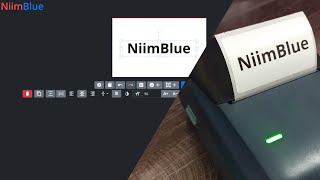
Demonstration video:
[](https://www.youtube.com/watch?v=u8QX-5e3W_A)
## Browser support
Your browser must support Web Bluetooth API: [supported browsers](https://developer.mozilla.org/en-US/docs/Web/API/Web_Bluetooth_API#browser_compatibility).
For serial communication: [supported browsers](https://developer.mozilla.org/en-US/docs/Web/API/Web_Serial_API#browser_compatibility).
In some systems you need to enable Chrome `Experimental Web Platform Features` (navigate to `chrome://flags`).
## Feedback needed!
I only have D110 and B1 printers. If you own other models, please write a comment [here](https://github.com/MultiMote/niimbluelib/issues/1) describing your model working or not.
Bluetooth dumps are MUCH appreciated. [How to make it](https://github.com/MultiMote/niimblue/wiki/Making-packet-capture).
## Images
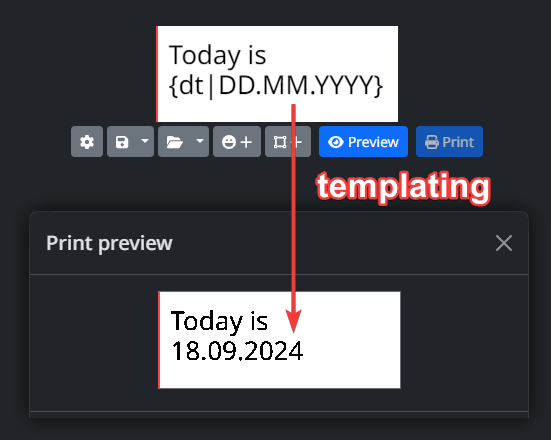
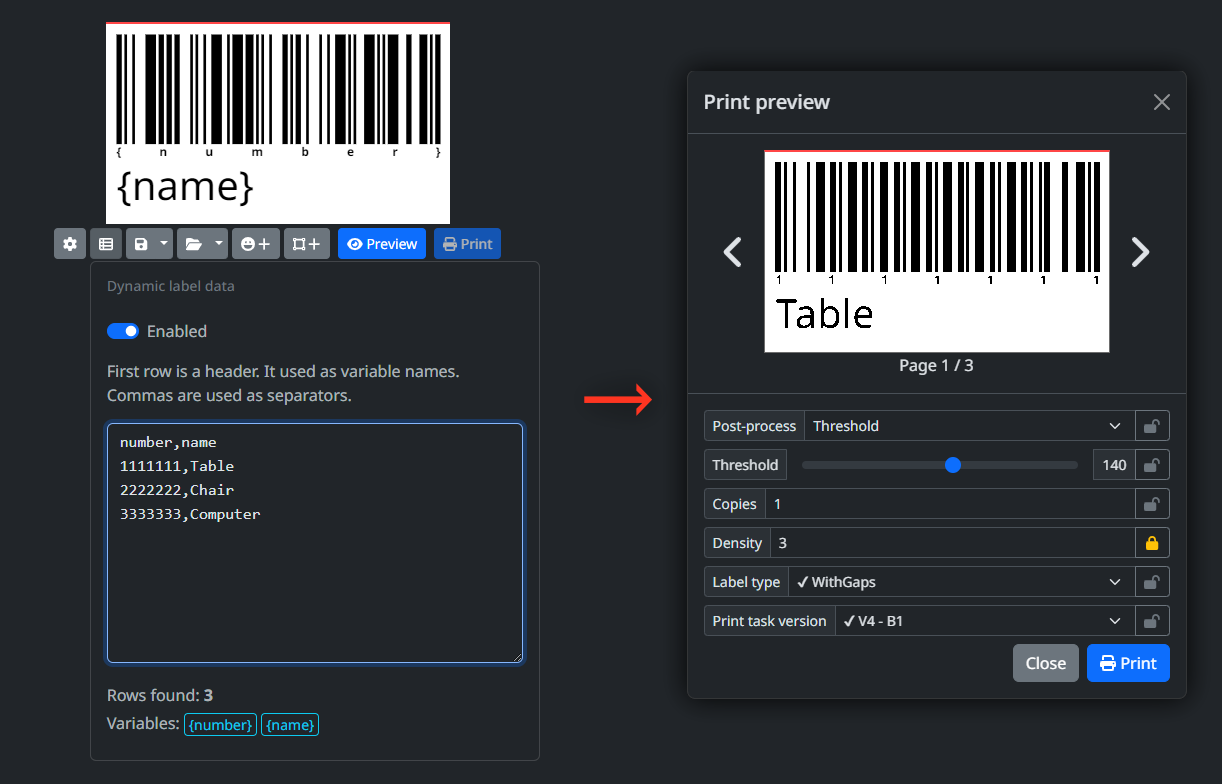
Images may be outdated, interface is changing constantly.




## Launching development server
Skip steps you have done.
1. Install [git](https://git-scm.com)
2. Install [nodejs](https://nodejs.org)
3. Clone repository
```bash
git clone https://github.com/MultiMote/niimblue.git
```
4. Install dependencies
```bash
npm i
```
5. Run dev server
Check code and open browser:
```bash
npm run dev-check
```
Or just run:
```bash
npm run dev
```
Eslint not included. Install it with:
```bash
npm install --no-save --no-package-lock eslint@9.x globals @types/eslint @eslint/js typescript-eslint eslint-plugin-svelte
```
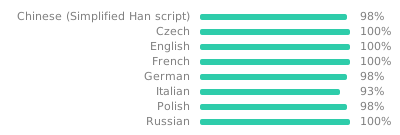
## Translation status
[](https://weblate.mmote.ru/engage/niimblue/)
## Other
| Links | |
|--------| -- |
| [ ](https://boosty.to/multimote) | Boosty (support project) |
| [
](https://boosty.to/multimote) | Boosty (support project) |
| [ ](https://discord.gg/jXPAfZVd8a) | Discord (dev news, troubleshooting and other, en) |
| [
](https://discord.gg/jXPAfZVd8a) | Discord (dev news, troubleshooting and other, en) |
| [ ](https://t.me/niimblue) | Telegram (ru/en discussion) |